A collaborative software development team working together in a modern office, discussing code on laptops and monitors, representing a professional outsourcing partner environment.

How to Choose the Right Outsourcing Partner for Web and Software Development

The decision to outsource your web or software development can accelerate your business—or set it back by months.

Every year, thousands of companies sign contracts with outsourcing agencies based on promising proposals and competitive rates, only to face missed deadlines, communication breakdowns, and subpar code that requires complete rebuilds.

The problem isn’t outsourcing itself. The problem is choosing the wrong partner.

For founders, CTOs, and business leaders evaluating their options, the stakes are high. Your choice of outsourcing partner directly impacts your product quality, time to market, development costs, and ultimately, your ability to compete and grow.


This guide will walk you through exactly what separates exceptional outsourcing partners from mediocre ones, the critical questions you need to ask, and how to structure a relationship that delivers real business value.

Why Choosing the Right Outsourcing Partner Is a Business-Critical Decision

Business professional choosing the right outsourcing partner for web and software development, highlighting the importance of strategic decisions in business growth.

When you hire an outsourcing partner for web and software development, you’re not just filling a temporary resource gap. You’re making a strategic decision that will influence your product trajectory for years to come.

The consequences of getting this wrong extend far beyond wasted budget. Poor outsourcing choices lead to technical debt that compounds over time, making future development slower and more expensive. They create security vulnerabilities that put your business at risk. They damage team morale when your internal staff has to constantly fix problems.

Consider the real cost of a failed outsourcing engagement: the direct financial investment, the opportunity cost of delayed market entry, the potential revenue lost while competitors move ahead, and the internal resources burned trying to salvage the situation.

Conversely, the right software development outsourcing services partner becomes a genuine extension of your team. They understand your business context, anticipate challenges before they become problems, and contribute strategic insights that improve your product.

The difference comes down to how carefully you evaluate potential partners and structure the relationship from the start.

Understanding Different Outsourcing Models

Before evaluating specific vendors, you need clarity on which outsourcing model aligns with your business needs.

Offshore, nearshore, and onshore outsourcing each offer distinct advantages. Offshore development teams provide the greatest cost efficiency and access to large talent pools. Nearshore partners operate in similar time zones, facilitating real-time collaboration. Onshore teams eliminate most communication barriers but command premium rates.

Dedicated teams versus project-based outsourcing represents another fundamental choice. Dedicated development teams work exclusively on your projects, integrate deeply with your processes, and provide continuity over months or years. This model works exceptionally well for product companies and startups building core platforms.

Project-based outsourcing makes sense for well-defined, time-bound initiatives. However, most modern software development benefits from the flexibility and accumulated knowledge that dedicated teams provide.

Key Qualities of a Reliable Web and Software Development Outsourcing Partner

Evaluating potential outsourcing partners requires looking beyond impressive websites and sales presentations. Here are the qualities that actually matter.

Technical expertise and technology stack alignment form the foundation. Your web development outsourcing company should have proven capabilities in your required technologies—not just familiarity, but deep expertise demonstrated through successful projects. Review their portfolio for complexity and similarity to your needs. Ask detailed technical questions during discovery calls.

Beware of agencies claiming expertise in every technology. Specialists typically outperform generalists.

Industry and domain experience accelerates everything. An IT outsourcing partner who understands your industry’s regulatory requirements, user expectations, and competitive dynamics starts ahead. They ask better questions, propose more relevant solutions, and avoid common pitfalls.

Communication processes and project transparency make or break distributed development. During your evaluation, pay close attention to how potential partners communicate. Are they responsive? Do they ask thoughtful questions? Can they clearly explain complex technical concepts?

The best partners use modern project management tools, provide regular progress updates, and maintain transparent backlogs that give you constant visibility into development status.

Security, compliance, and intellectual property protection cannot be afterthoughts. Your outsourcing partner will access sensitive business information and proprietary code. Verify their security certifications, data protection policies, and compliance frameworks. Ensure your contract includes clear IP ownership terms and non-disclosure agreements.

Scalability and long-term support capability determine whether your partner can grow with you. Can they quickly add developers when you need to accelerate? Do they provide ongoing maintenance after initial delivery? Strong outsourcing companies have sufficient depth to handle turnover and the infrastructure to scale teams based on your needs.

Common Mistakes Companies Make When Hiring an Outsourcing Agency

Learning from others’ mistakes costs less than making them yourself.

Choosing based primarily on price remains the most common and expensive error. The lowest bidder rarely delivers the best value. Rock-bottom rates typically signal junior developers, high turnover, or poor processes. These apparent savings evaporate when you factor in rework, delays, and eventual migration costs.

Focus on value, not just cost. A more expensive partner who delivers clean code and meets deadlines often costs less in total than a cheap vendor who creates ongoing problems.

Ignoring communication structure and cultural fit leads to friction that compounds over time. Technical skills matter, but so does the ability to collaborate effectively. Evaluate English proficiency carefully. Consider time zone overlap and how it affects your ability to resolve issues quickly.

Lacking clarity on ownership and accountability creates disputes. Before signing any agreement, establish crystal-clear terms around code ownership, documentation, and what happens if the relationship ends.

Failing to think long-term results in repeatedly starting over with new vendors. Treat outsourcing as a partnership, not a transaction. The most successful relationships span years, with the outsourcing team accumulating valuable institutional knowledge.

Why Companies in the USA, UK, Australia and Canada Outsource Development

Geographic location matters less in 2026 than ever before, yet Western companies continue to embrace outsourcing for compelling reasons.

Cost efficiency without quality compromise remains foundational. Accessing senior-level development talent at 40-60% below local market rates allows companies to build more ambitious products within budget constraints or redirect savings toward marketing and customer acquisition.

Access to specialized global talent solves skills shortages. Finding experts in niche frameworks or emerging technologies can take months through traditional hiring. An outsourcing company for startups with an established talent pool can often assemble the right team within weeks.

Faster development cycles emerge from the ability to scale resources quickly. Rather than enduring three to six month hiring processes, companies can expand their development capacity rapidly when opportunities emerge.

Focus on core business growth becomes possible when operational complexity is distributed. Founders can dedicate attention to strategy, fundraising, and customer relationships rather than managing every aspect of development.

How Oriental Outsourcing Approaches Web and Software Development Outsourcing

The principles outlined above aren’t theoretical—they represent how leading outsourcing partners actually operate.

Oriental Outsourcing  exemplifies the dedicated team approach that produces consistent results for companies across the USA, UK, Australia, and Canada. Rather than treating clients as project IDs, they focus on building genuine partnerships where success is measured in long-term outcomes.

Their model centers on assembling dedicated development teams that integrate directly with client operations. These aren’t shared resources bouncing between multiple projects—they’re developers who become genuine extensions of your organization.

Transparent processes form another cornerstone. Clients receive regular visibility into sprint progress, code quality metrics, and development velocity. Standups, demos, and retrospectives follow predictable rhythms. Documentation is maintained rigorously.

Communication structure receives the same attention as technical delivery. Oriental Outsourcing ensures sufficient time zone overlap for real-time collaboration while also establishing asynchronous workflows that keep progress moving around the clock.

Perhaps most importantly, they approach engagements with a long-term collaboration mindset. The goal isn’t simply to close a project and move on, but to become increasingly valuable over time as the team accumulates context in your specific domain.

Practical Checklist: How to Evaluate an Outsourcing Partner

Use this framework when assessing potential partners:

Technical Capabilities:

  • Proven expertise in your required technology stack
  • Portfolio of similar projects with measurable outcomes
  • Clear development methodologies (Agile, Scrum)
  • Robust QA and testing practices

Business Fundamentals:

  • Strong client references you can speak with
  • Transparent pricing with detailed breakdowns
  • Flexible engagement models

Operational Excellence:

  • Responsive communication during sales process
  • 3-4+ hours of time zone overlap
  • Modern project management tools
  • Scalability for future growth

Risk Management:

  • Security certifications and protocols
  • Clear IP ownership agreements
  • Compliance with relevant regulations
  • Detailed NDAs and confidentiality terms

Making the Right Choice for Your Business

The principles outlined above aren’t theoretical—they represent how leading outsourcing partners actually operate.

Oriental Outsourcing  exemplifies the dedicated team approach that produces consistent results for companies across the USA, UK, Australia, and Canada. Rather than treating clients as project IDs, they focus on building genuine partnerships where success is measured in long-term outcomes.

Their model centers on assembling dedicated development teams that integrate directly with client operations. These aren’t shared resources bouncing between multiple projects—they’re developers who become genuine extensions of your organization.

Transparent processes form another cornerstone. Clients receive regular visibility into sprint progress, code quality metrics, and development velocity. Standups, demos, and retrospectives follow predictable rhythms. Documentation is maintained rigorously.

Communication structure receives the same attention as technical delivery. Oriental Outsourcing ensures sufficient time zone overlap for real-time collaboration while also establishing asynchronous workflows that keep progress moving around the clock.

Perhaps most importantly, they approach engagements with a long-term collaboration mindset. The goal isn’t simply to close a project and move on, but to become increasingly valuable over time as the team accumulates context in your specific domain.

Frequently Asked Questions

Is outsourcing web and software development safe?

Yes, when you work with established partners who follow industry-standard security practices. The key is thorough vetting: verify security certifications, review data protection policies, ensure clear IP ownership in contracts, and confirm compliance with relevant regulations. Thousands of successful companies outsource mission-critical development safely every day.

Quality offshore development teams typically charge $40-$100 per hour compared to $150-$250 for comparable US-based developers. Most companies find they can access senior-level talent at 40-60% below local market rates while maintaining high quality standards.

Successful management relies on clear communication rituals and treating the offshore team as genuine colleagues. Establish daily standups, weekly demos, and regular retrospectives. Use collaboration platforms like Slack, Jira, and GitHub. Define clear sprint goals and invest time in onboarding to share business context.

Realistic modern eCommerce workspace showing organic traffic growth versus paid ads on a laptop, professional corporate setup

Is SEO Worth It for eCommerce Businesses in 2026? Cost, ROI & Real Results

You’re sitting on a product catalog that could generate six or seven figures. But your organic traffic is stuck at zero, and Google Ads are bleeding your margins dry.

So the question keeps coming back: is SEO worth it for eCommerce businesses like yours?

Here’s the truth most agencies won’t tell you upfront. SEO isn’t a quick win. It takes months before you see meaningful results. But once it kicks in, it compounds. Paid ads stop working the moment you stop paying. SEO keeps delivering traffic and sales long after the work is done.

This article breaks down the real eCommerce SEO cost, expected eCommerce SEO ROI, and whether it makes sense for your store in 2026.

Is SEO Worth It for eCommerce Businesses in 2026?

Yes, but only if you’re willing to treat it like a long-term investment.

SEO works best for eCommerce stores that want sustainable growth without being held hostage by rising ad costs. If your product margins are thin and your customer lifetime value is decent, SEO becomes one of the most profitable channels you can build.

The eCommerce SEO benefits are clear:

  • You own the traffic. No algorithm changes or rising CPCs can take it away overnight.
  • Compound returns. Traffic grows month over month without proportional increases in cost.
  • Higher trust. Organic listings convert better than ads because buyers trust Google’s recommendations.
  • Lower acquisition costs. Once you rank, your cost per acquisition drops significantly.

But here’s the catch. SEO requires patience, consistent execution, and realistic expectations. If you need sales tomorrow, SEO won’t save you. If you want predictable revenue in six to twelve months, it’s one of the smartest moves you can make.

Why Paid Ads Alone Fail for eCommerce

High-quality eCommerce desk showing paid ads dashboard with rising costs and flat revenue, realistic office setting

Paid ads work. No question. But relying only on Google Ads or Facebook Ads is like renting a storefront instead of owning property.

Your margins shrink every year. CPCs have been climbing for years. What cost you two dollars per click in 2022 might cost you four or five dollars today. As competition increases, your profit per sale decreases.

You’re invisible when ads stop. Turn off the budget, and traffic goes to zero. No safety net. No residual sales.

Customers don’t trust ads as much. Studies show that organic search results get more clicks and higher conversion rates than paid placements. People skip ads and scroll down to the “real” results.

The smartest eCommerce businesses don’t pick between SEO vs paid ads eCommerce. They use both. Ads fund short-term growth. SEO builds long-term equity.

How SEO Compounds Revenue Over Time

This is where SEO separates itself from every other marketing channel.

Let’s say you invest in SEO starting today. For the first three months, you see minimal results. Maybe a few rankings improve. Traffic ticks up slightly.

Then month four hits. A handful of product pages start ranking on page one. Traffic doubles. Sales start coming in from keywords you didn’t even target directly.

By month eight, those rankings solidify. You add more optimized content. Now you’re ranking for dozens of high-intent keywords. Traffic has tripled or quadrupled from where you started.

Here’s the magic part. You didn’t triple your SEO budget. You’re still doing roughly the same amount of work, but the results keep stacking. That’s compounding.

Compare that to paid ads. If you want to triple your ad traffic, you need to triple your ad spend. Every month. Forever.

SEO is the only channel where your cost per acquisition goes down over time while traffic and revenue go up.

If your store isn’t ranking and you’re not sure why, this guide on why your eCommerce store isn’t ranking on Google covers the most common technical and content issues holding stores back.

eCommerce SEO Cost in 2026 (Real Numbers)

Let’s talk money. What does eCommerce SEO cost if you want real results?

DIY SEO: Free to a few hundred dollars per month for tools. But you’re trading money for time. Expect to spend 10 to 20 hours per week learning and optimizing.

Freelancer SEO: Anywhere from $500 to $2,500 per month depending on experience. You’ll get basic optimizations, some content, and maybe technical fixes. Quality varies wildly.

Agency SEO: Most reputable eCommerce SEO agencies charge between $2,000 and $10,000 per month. The range depends on your catalog size, competition level, and growth goals.

For a mid-sized eCommerce store with 100 to 500 products, expect to invest at least $3,000 to $5,000 per month for six to twelve months to see meaningful results.

That might sound like a lot. But compare it to your monthly ad spend. Most eCommerce stores spend that much or more on ads every single month. The difference? SEO keeps working long after you stop paying.

eCommerce SEO ROI vs Paid Ads

Let’s run the numbers.

Say you spend $5,000 per month on SEO for twelve months. Total investment: $60,000.

By month six, you start seeing 5,000 organic visitors per month. By month twelve, that grows to 15,000. If your conversion rate is two percent and your average order value is $100, that’s 300 orders per month or $30,000 in monthly revenue from organic traffic alone.

Now you’re generating $360,000 per year from a $60,000 investment. That’s a six-to-one return, and it keeps growing.

Compare that to paid ads. Spend $5,000 per month on Google Ads, and you might generate $15,000 to $25,000 in revenue depending on your margins. Stop spending, and revenue stops.

The eCommerce SEO ROI advantage is undeniable once you hit critical mass. The first six months are tough. But after that, SEO often becomes your most profitable channel.

When SEO Does NOT Make Sense for eCommerce

SEO isn’t always the right answer. Here’s when you should skip it or delay it.

You need sales this week. SEO takes months. If you’re running out of cash and need revenue immediately, paid ads and email marketing are faster.

Your product is highly seasonal. If you only sell Christmas decorations, building year-round SEO might not deliver the ROI you need. Paid ads during peak season make more sense.

You’re in a hyper-competitive niche with zero budget. Competing against Amazon and major retailers in broad categories requires serious budget and patience.

Your site is a mess. If your eCommerce platform is slow, mobile-unfriendly, or full of technical errors, SEO won’t work until you fix the foundation.

You’re not committed for at least six months. SEO requires consistency. If you’re going to quit after two months, save your money.

How Agencies Measure eCommerce SEO Success

Good agencies don’t measure SEO success by rankings alone. They track metrics that actually matter to your bottom line.

Organic traffic growth. How many visitors are you getting from Google each month? Is it trending up consistently?

Revenue from organic search. What percentage of your total revenue comes from organic traffic? Is it increasing quarter over quarter?

Keyword rankings for high-intent terms. Product keywords, category keywords, and commercial terms that drive sales.

Cost per acquisition from SEO. Divide your total SEO investment by the number of customers acquired through organic search. Compare this to your CPA from paid ads.

SEO vs Paid Ads: The Smart Strategy in 2026

Good agencies don’t measure SEO success by rankings alone. They track metrics that actually matter to your bottom line.

Organic traffic growth. How many visitors are you getting from Google each month? Is it trending up consistently?

Revenue from organic search. What percentage of your total revenue comes from organic traffic? Is it increasing quarter over quarter?

Keyword rankings for high-intent terms. Product keywords, category keywords, and commercial terms that drive sales.

Cost per acquisition from SEO. Divide your total SEO investment by the number of customers acquired through organic search. Compare this to your CPA from paid ads.

Final Verdict

So, is SEO worth it for eCommerce in 2026?

Absolutely. If you’re willing to invest six to twelve months and treat it like building an asset, not a quick fix.

SEO delivers compounding returns, lowers your cost per acquisition, and gives you traffic you own. Paid ads deliver speed and control but require constant spend. The best strategy uses both.

If you want predictable growth instead of temporary traffic spikes, eCommerce SEO delivers compounding returns.

Need help building a sustainable SEO strategy for your store?

We’ve helped dozens of eCommerce brands break free from the paid ads treadmill and build profitable organic channels. If you’re ready to invest in long-term growth, get in touch with us here or email us.

FAQs

Is SEO still worth it for eCommerce in 2026?

Yes, SEO is still worth it for eCommerce in 2026 as paid ad costs continue to rise. Organic search remains one of the highest-converting channels because buyers trust Google’s rankings more than ads. SEO now requires strong technical setup, quality content, and authority, but once rankings are achieved, traffic and sales compound without increasing costs.

Most eCommerce stores start seeing results within four to six months. The first three months focus on technical fixes and optimization. Traffic and sales usually begin growing around month four, with strong momentum building by month twelve.

eCommerce SEO typically delivers a four-to-one to ten-to-one ROI within twelve months. ROI improves over time because traffic continues growing while monthly SEO costs remain relatively stable.

SEO and paid ads serve different goals. Paid ads provide immediate traffic and fast sales, while SEO builds long-term organic traffic that compounds over time. The most successful eCommerce brands use both together.

For mid-sized eCommerce stores with 100–500 products, a monthly SEO budget of $3,000 to $5,000 for six to twelve months is realistic. Smaller budgets can work, but results will be slower. A good rule is to allocate a portion of your ad spend toward SEO for long-term growth.

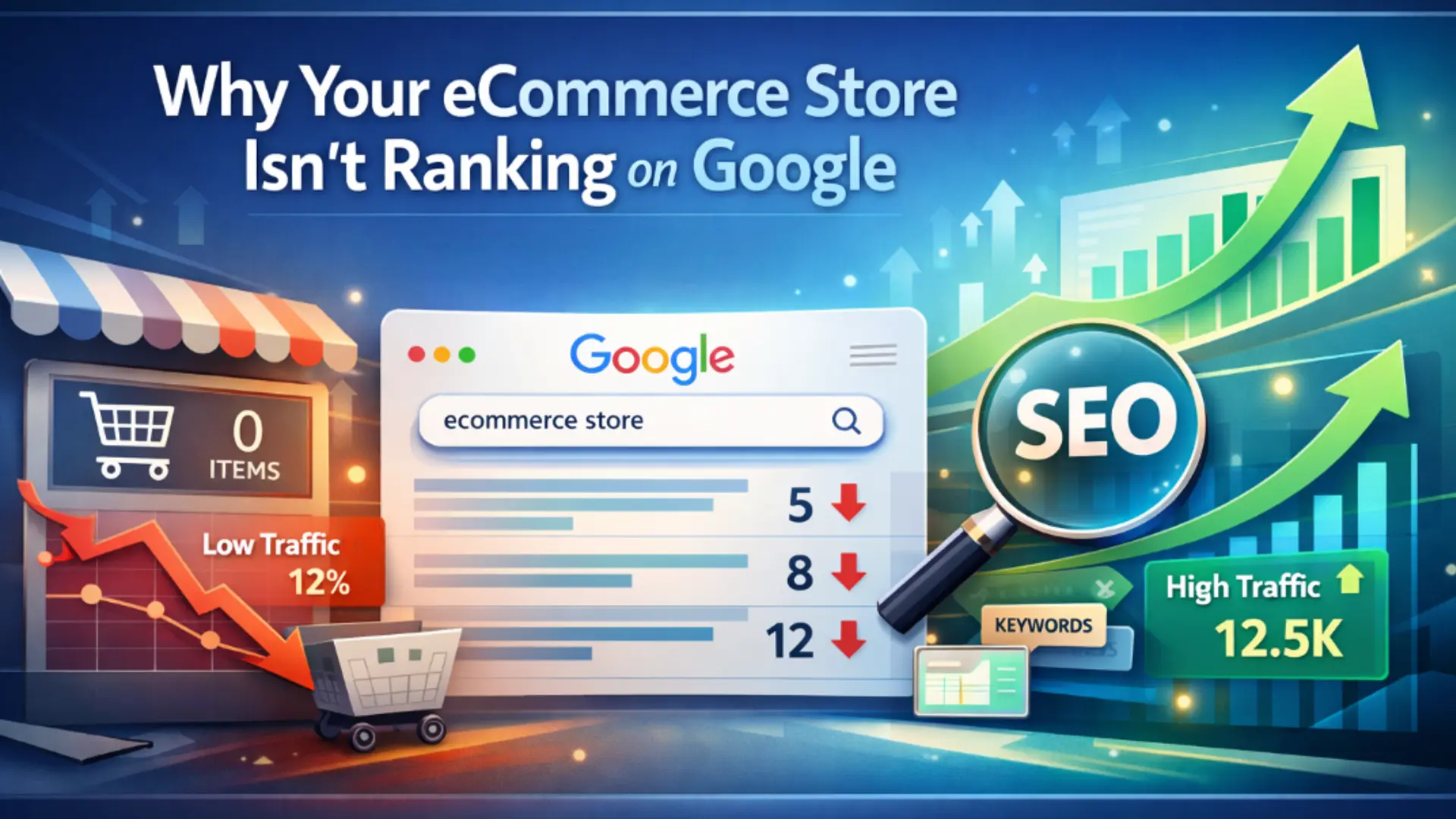
Why Your eCommerce Store Isn't Ranking on Google And How We Fix It

Why Your eCommerce Store Isn’t Ranking on Google And How We Fix It

You launched your store with real excitement. Your products are solid. Your ads bring visitors—until you turn them off and the traffic disappears. But when you search Google for what you sell? You’re nowhere. Your competitors show up. You don’t.

If your eCommerce store isn’t ranking on Google, you’re not alone. Thousands of online store owners face this exact problem every single day. You’ve probably asked yourself: “Why isn’t my online store visible in search results?” or “Is something fundamentally broken with my SEO?” Maybe you’ve even wondered if Google just doesn’t like eCommerce stores.

Here’s what we can tell you after 20+ years at Oriental Outsourcing auditing hundreds of eCommerce websites: it’s not Google’s fault, and it’s probably not your fault either. When an eCommerce store isn’t ranking on Google, it’s usually because of the same structural SEO problems that make ranking nearly impossible—no matter how good the products are.

This isn’t another generic SEO checklist. This is how we at Oriental Outsourcing actually diagnose why stores don’t rank, what’s stopping Google from finding and trusting your pages, and what it takes to fix it. If you’ve been stuck in paid-ads-only mode and wondering why organic traffic never shows up, this will help you understand exactly what’s going wrong.

The Real Reasons Your eCommerce Store Isn't Ranking on Google

Google doesn’t rank stores—it ranks individual pages. When an eCommerce site isn’t ranking, it’s because its pages don’t give Google a clear reason to show them.

Most stores are built to sell, not to rank. Product pages are thin or repetitive, category pages lack real content, and filters create thousands of unnecessary URLs. Everything looks fine to users, but to Google, the structure is confusing.

This is what we see in nearly every audit at Oriental Outsourcing. Store owners think they have many rankable pages, but most are too weak or poorly structured to perform.

The site works for paid traffic—but it isn’t built for organic search. That’s the core reason many eCommerce stores don’t get Google traffic.

Common SEO Mistakes Killing eCommerce Rankings

Let’s talk about the specific mistakes that show up again and again in our audits. These aren’t small issues. They’re the difference between ranking and being invisible.

Targeting the Wrong Keywords

Most stores optimize for the wrong search terms without realizing it. You’re ranking for your product SKU codes or brand-specific terms that nobody searches for. Meanwhile, the actual keywords your customers use—the category-level terms, the problem-solution phrases, the buying intent queries—those go to your competitors.

If you sell “organic cotton baby blankets,” but your pages only mention your product name “CloudSoft Blanket Model CB-405,” you’re missing everyone searching for what you actually sell. This is a primary reason why many eCommerce stores struggle to rank on Google.

Duplicate Content Across Products

When you have 50 products in the same category, it’s tempting to reuse descriptions. Change the color, swap the size, copy the same features. Google sees this as 50 nearly identical pages competing against each other. Or worse, you’re using the manufacturer’s description—the exact same text that’s on 100 other websites selling the same product.

No Clear SEO Structure

Your URLs look random. Products aren’t connected to their categories in any meaningful way. There’s no internal linking strategy, so Google can’t understand what’s important on your site or how your pages relate to each other. Everything’s just floating independently, fighting for attention.

Relying Only on Paid Ads

Here’s the truth about ads: they work until you stop paying. Ads bring traffic, but they don’t build authority. They don’t teach Google what you sell or why your site deserves to rank. When your ad budget runs out or gets too expensive, you’re back to zero traffic. SEO builds a foundation that keeps working whether you’re spending money or not.

Why Product Pages Don't Rank (Even If Your Products Are Great)

Many store owners ask, “My products are better—so why don’t my pages rank?”
Because Google doesn’t rank products. It ranks helpful pages.

Searchers want answers, comparisons, and context—not just a short description and an “Add to Cart” button. Most product pages are thin, lack FAQs, trust signals, and internal links, and don’t clearly explain who the product is for or why it’s better than alternatives.

As a result, Google doesn’t see these pages as important.

At Oriental Outsourcing, we enhance product pages with the content and structure needed to match real search intent—turning thin pages into pages that deserve to rank.

Category Pages – The #1 Missed SEO Opportunity in eCommerce

If there’s one SEO tip that can transform your results, it’s this: optimize your category pages.

Most stores treat them as simple product grids, but well-optimized category pages drive 60–70% of organic revenue. Google loves them because they match search intent—shoppers want options and context, not a single product.

To rank, category pages need real content: intros, buying guides, FAQs, and helpful context. Internal linking from the homepage, related categories, and blogs signals importance to Google.

Also, watch out for filter URLs—they create crawl issues. Done right, your category pages become SEO powerhouses without breaking your site.

The Local SEO Factor Most eCommerce Stores Ignore

Many eCommerce store owners overlook local SEO, but it can be a powerful growth lever. If you serve specific regions, offer local pickup, or same-day delivery, local optimization helps you appear in location-based searches.

Local SEO improves visibility through Google Business Profiles, local citations, and location-focused content—driving highly qualified, ready-to-buy traffic.

At Oriental Outsourcing, we help eCommerce brands use local SEO alongside broader SEO strategies to gain an edge over competitors focused only on national keywords.

Technical SEO Issues We Consistently Find in eCommerce Audits

Many eCommerce ranking problems are invisible but critical to Google. Issues like index bloat, faceted navigation, slow page speed, mobile inconsistencies, and JavaScript rendering often prevent stores from ranking—without owners realizing it.

Google wastes crawl budget on unnecessary URLs, struggles to understand your content, and sees poor user experience signals. The result? Weak or no rankings.

At Oriental Outsourcing, we audit and fix these technical issues first because they form the foundation of every successful eCommerce SEO strategy.

How Oriental Outsourcing Fixes These Problems

When we take on an eCommerce store with low organic visibility, we start with a real SEO audit—not an automated score. Our team reviews site structure, analyzes how Google sees your store, and identifies the exact issues blocking rankings.

Next is keyword mapping. Each page has a clear role: product pages target product terms, category pages target broader keywords, and blogs support informational searches—no overlap, no confusion.

Then we optimize content and internal linking to match search intent, improve thin pages, and clearly signal what matters most to Google.

We also handle technical cleanup, fixing crawl issues, index bloat, speed, and mobile problems—often the fastest wins.

Finally, we focus on ongoing optimization. SEO isn’t one-time work. We monitor performance, adapt to changes, and provide clear reporting so you always know what’s driving results.

When You Should Consider Hiring an eCommerce SEO Agency

SEO agencies aren’t for every store. If you just launched, you might not need help yet. But if your store has been live 6–12 months, organic traffic is near zero, ads are costly, multiple categories aren’t ranking, or you’re in a competitive or international market, professional eCommerce SEO is worth it.

Unlike ads, SEO builds lasting results—today’s work keeps driving traffic months from now, creating a true asset instead of rented traffic.

Partner with Oriental Outsourcing for Results-Driven eCommerce SEO

Most eCommerce stores don’t rank on Google because they weren’t built with SEO in mind. The issues usually stem from site structure, technical errors, and content that doesn’t match real search intent—but they are fixable.

At Oriental Outsourcing, we help eCommerce brands identify and resolve these root problems, turning low visibility into consistent, profitable organic traffic.

If your store isn’t ranking, a professional eCommerce SEO audit is the first step. We show exactly what’s holding your site back and what to fix first—no guesswork.

Ready to reduce ad dependency and grow sustainable organic traffic? Contact us today and see why eCommerce businesses trust Oriental Outsourcing.

Frequently Asked Questions About eCommerce SEO

1. How long does it take for an eCommerce store to rank on Google?

Most eCommerce stores see early improvements in 3–4 months, while strong rankings usually take 6–12 months. The timeline depends on competition, technical SEO issues, and site size. Quick gains often come from fixing technical problems, but long-term traffic growth requires ongoing optimization. SEO takes time—but once rankings improve, traffic continues without paying for every click.

You can manage basic SEO if your store is small and new. However, most established eCommerce stores struggle due to technical and structural SEO issues that aren’t easy to spot. If you’ve tried SEO for months with little progress or rely heavily on ads, working with an experienced SEO agency usually delivers better and faster results.

Google doesn’t rank based on product quality—it ranks pages based on search intent and optimization. Competitors often win because their pages are better structured, target the right keywords, load faster, and provide clearer information. Strong products need strong SEO to compete.

Yes. Ads stop the moment you stop paying, while SEO builds long-term, compounding traffic. Many eCommerce stores use ads for short-term results and SEO for sustainable growth. Over time, SEO can reduce ad dependency and improve overall profitability.

The biggest mistake is ignoring category page SEO. Category pages match buyer search intent better than individual products, yet many stores don’t optimize them. Well-optimized category pages often drive the majority of organic revenue and deliver the fastest SEO returns.

Top 5 Local SEO Strategies That Actually Bring Customers to Your Store

If you’re a local business owner, you’ve probably wondered why customers aren’t finding your store on Google. You have a great product, excellent service, and maybe even a website—but somehow, you’re invisible online. Here’s the truth: local SEO strategies can change everything. When done right, local search engine optimization helps nearby customers discover your business exactly when they’re ready to buy.

The numbers don’t lie. Nearly half of all Google searches have local intent, meaning people are actively looking for businesses like yours in their area. Whether you run a coffee shop, dental clinic, or retail store, showing up in local search results is no longer optional—it’s essential for survival.


In this guide, I’ll walk you through five proven local SEO strategies that actually work. No fancy jargon, no complicated tech talk. Just straightforward tactics you can implement today to get more customers walking through your door.

Why Local SEO Matters for Your Business

Before we dive into the strategies, let’s talk about why this matters. When someone searches “coffee shop near me” or “best plumber in Chicago,” Google decides which businesses to show based on three main factors: relevance, distance, and prominence.

Your job is to prove to Google that your business deserves that top spot. The good news? You don’t need a massive budget or a tech degree to make it happen. You just need to follow the right strategies consistently.

Strategy 1: Optimize Your Google Business Profile

Your Google Business Profile (formerly Google My Business) is hands-down the most powerful tool for local SEO. Think of it as your digital storefront—it’s often the first thing potential customers see when they search for businesses like yours.

Here’s what most business owners get wrong: they claim their listing and forget about it. That’s like opening a store and never turning on the lights. Your Google Business Profile needs regular attention and optimization to stand out.

How to Optimize Your Profile Properly

Start by making sure all your basic information is accurate and complete. Your business name, address, and phone number (what SEO folks call NAP) must be exactly the same everywhere online. Even small differences can confuse Google and hurt your rankings.

Next, choose the right business categories. Your primary category should match what you do most, and you can add secondary categories for other services. A restaurant might list “Italian Restaurant” as primary and “Pizza Delivery” as secondary.

Don’t skip the business description. You have 750 characters to tell potential customers what makes you special. Use natural language that includes your services and location, but write for humans first. Something like: “We’re a family-owned Italian restaurant in downtown Boston, serving authentic pasta and wood-fired pizza since 2010.”

Photos make a huge difference. Businesses with photos get 42% more requests for directions and 35% more click-throughs to their websites. Upload pictures of your storefront, interior, products, team, and happy customers. Keep them high-quality and update them regularly to show Google your business is active.

Keep Your Profile Active

Start by making sure all your basic information is accurate and complete. Your business name, address, and phone number (what SEO folks call NAP) must be exactly the same everywhere online. Even small differences can confuse Google and hurt your rankings.

Next, choose the right business categories. Your primary category should match what you do most, and you can add secondary categories for other services. A restaurant might list “Italian Restaurant” as primary and “Pizza Delivery” as secondary.

Don’t skip the business description. You have 750 characters to tell potential customers what makes you special. Use natural language that includes your services and location, but write for humans first. Something like: “We’re a family-owned Italian restaurant in downtown Boston, serving authentic pasta and wood-fired pizza since 2010.”

Photos make a huge difference. Businesses with photos get 42% more requests for directions and 35% more click-throughs to their websites. Upload pictures of your storefront, interior, products, team, and happy customers. Keep them high-quality and update them regularly to show Google your business is active.

Strategy 2: Master Local Keywords and Create Location Pages

Keywords are the bridge between what people search for and what you offer. But local SEO keywords work differently than regular SEO.

When someone searches for “plumber,” they could be anywhere. When they search for “emergency plumber in Brooklyn,” they’re ready to hire someone now. That “in Brooklyn” part is gold for local businesses.

Finding the Right Local Keywords

Think about how your customers actually talk. They don’t say “automotive repair services”—they say “car mechanic near me” or “oil change in Austin.” Use tools like Google’s autocomplete to see what real people search for. Just type your service plus your city and watch the suggestions appear.

Your local keywords should include:

  • Your service plus city name (“dentist in Miami”)
  • “Near me” variations (“pizza near me”)
  • Neighborhood names (“hair salon in SoHo”)
  • Service plus “near” location (“dog grooming near Central Park”)

Using Keywords the Right Way

Once you have your keywords, sprinkle them naturally throughout your website. Put them in your page titles, headings, and the first paragraph of your main pages. But don’t stuff them everywhere—Google’s smart enough to spot that and it reads as desperate.

Your homepage should target your main service and city. Then, if you serve multiple locations, create separate pages for each area. Each location page should have unique content about that specific area—mention local landmarks, address area-specific needs, and include real testimonials from customers in that neighborhood.

Add a Google Map to every location page. Include your full address, phone number, and hours. Make it easy for customers to find you both online and in person.

Strategy 3: Build Your Reputation with Customer Reviews

Reviews are the lifeblood of local SEO. They influence both your Google rankings and whether customers choose you over competitors. Think about it—when’s the last time you picked a business with one star when another option had five?

Google cares about review quantity, quality, and recency. You need a steady stream of fresh reviews to stay competitive.

Getting More Reviews (The Right Way)

The best time to ask for a review is right after you’ve delivered great service and the customer is happy. Don’t be shy about it. Most satisfied customers are willing to leave reviews—they just need to be asked.

Make it easy. Send a direct link to your Google review page via email or text. The fewer clicks required, the more reviews you’ll get. You can create a short link so it’s not a mile long.

Here’s a simple script: “We’re so glad you’re happy with our service! Would you mind taking a minute to share your experience on Google? It really helps other customers find us.” Simple, personal, and effective.

Responding to Reviews

Every review deserves a response—yes, even the bad ones. Thank positive reviewers by name and mention something specific about their experience. It shows you pay attention and care.

For negative reviews, stay professional and empathetic. Apologize for their experience, take responsibility, and offer to make it right offline. Never argue or make excuses publicly. Other potential customers are watching how you handle criticism.

Display your best reviews on your website too. Add a testimonials section to your homepage and service pages. This builds trust and gives Google more positive signals about your business.

Strategy 4: Build Consistent Local Citations

Citations are mentions of your business name, address, and phone number on other websites. Every time your business appears on a directory, review site, or local website with consistent information, it strengthens your local SEO.

Think of citations as votes of confidence. When Google sees your business listed consistently across the web, it trusts that you’re a legitimate, established business.

Where to Build Citations

Start with the major platforms everyone knows: Google Business Profile, Bing Places, Yelp, Facebook, and Apple Maps. Make sure your information is identical on all of them.

Then move to industry-specific directories. Restaurants should be on OpenTable and TripAdvisor. Doctors should be on Healthgrades and Zocdoc. Lawyers should be on Avvo and FindLaw. You get the idea.

Don’t forget local directories. Your city’s chamber of commerce, local business associations, and community websites are valuable. They carry extra weight because they’re specific to your area.

The NAP Consistency Rule

This is critical: your name, address, and phone number must be exactly the same everywhere. Not almost the same—exactly the same.

If your Google profile says “123 Main Street,” don’t write “123 Main St.” somewhere else. If you use “(555) 123-4567” one place, use that format everywhere. Even small differences confuse Google and dilute your SEO power.

Audit your existing citations regularly. Search for your business name online and check every listing you find. Fix any inconsistencies immediately.

Strategy 5: Make Your Website Mobile-Friendly and Fast

Most local searches happen on mobile devices. Someone’s walking down the street, pulls out their phone, and searches for “coffee shop near me.” If your website takes forever to load or looks terrible on mobile, you’ve already lost them.

Google knows this. That’s why mobile-friendliness and page speed directly impact your local rankings.

Optimizing for Mobile Users

Your website needs to work perfectly on phones and tablets. Text should be readable without zooming. Buttons should be easy to tap with a thumb. Navigation should be simple and intuitive.

Test your site on different devices. Better yet, ask friends to try it. If they struggle to find your phone number or address, you’ve got work to do.

Make your contact information prominent. Put your phone number at the top of every page as a clickable link. Add a “Get Directions” button that opens Google Maps. The goal is to remove every possible barrier between someone finding you online and contacting you.

Speed Matters More Than You Think

A one-second delay in page load time can reduce conversions by 7%. People are impatient, especially on mobile. If your site doesn’t load fast, they’ll hit the back button and try your competitor instead.

Check your site speed using Google PageSpeed Insights. It’ll show you exactly what’s slowing you down and how to fix it. Common culprits include large images, too many plugins, and slow hosting.

Compress your images before uploading them. Use a caching plugin if you’re on WordPress. Consider upgrading your hosting if you’re on a cheap shared plan. Speed is worth investing in.

Start Taking Action Today

Local SEO isn’t about perfection—it’s about consistency. Start with one strategy that feels manageable. Maybe optimize your Google Business Profile today, then ask three happy customers for reviews tomorrow. Build momentum from there.

Your competitors are probably ignoring most of this, and that’s your opportunity. While they wonder why customers aren’t finding them, you’ll be building steady local traffic that grows every month.

The customers are already searching for what you offer. These five strategies from Oriental Outsourcing help ensure they find you first. Stay consistent, and watch your local visibility grow.

Frequently Asked Questions

Q: How long does it take to see results from local SEO?

Most businesses start seeing improvements within 4-8 weeks, but significant results typically take 3-6 months. Local SEO is a marathon, not a sprint. The key is staying consistent with your efforts—optimizing your profile, collecting reviews, and building citations regularly.

Yes, responding to reviews shows both Google and potential customers that you’re engaged and care about feedback. It takes just a few minutes but makes a big difference in how people perceive your business. Even a simple “Thanks for your review!” is better than silence.

There’s no magic number, but aim for at least 10-20 quality reviews to start. More importantly, focus on getting new reviews consistently—a business with 30 recent reviews often outranks one with 100 old reviews. Fresh reviews signal that you’re actively serving customers.

You can absolutely do the basics yourself—claiming your Google profile, asking for reviews, and ensuring consistent business information. These foundational steps cost nothing but time. However, if you’re struggling with technical aspects or want faster results, hiring an expert can be worth the investment.

The biggest mistake is inconsistent business information across the web. When your name, address, or phone number differs even slightly across directories, it confuses Google and weakens your rankings. Spend time auditing and fixing these inconsistencies—it’s one of the quickest wins in local SEO.

Featured Snippets

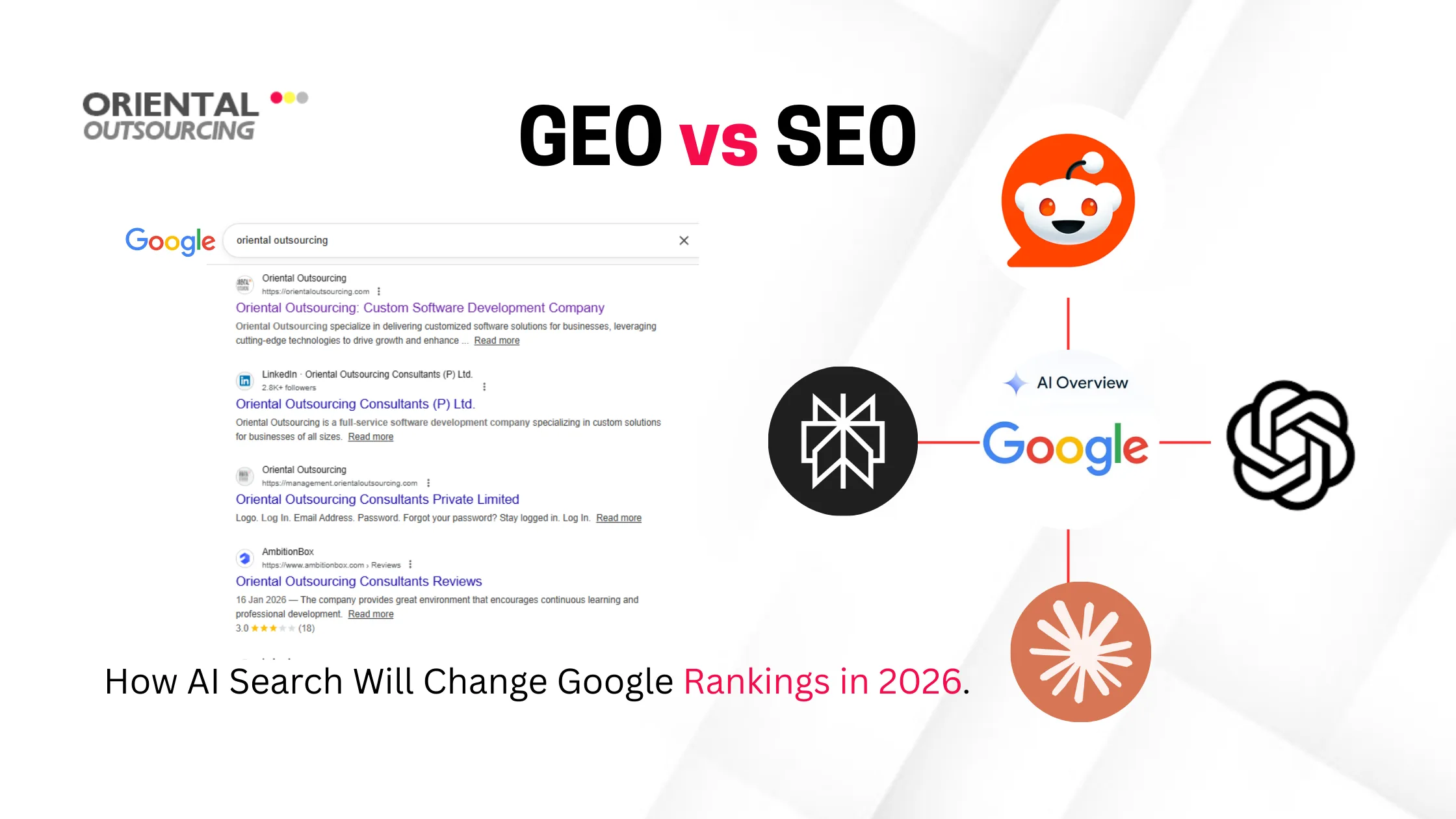
Generative Engine Optimization (GEO): A Complete Guide [2025]

Featured Snippets

Remember this featured snippet or quick answer boxes, you’d see at the top of Google when you searched for something? For years, it was the holy grail of SEO. Brands competed fiercely to earn that spot because it meant instant visibility.

But the emergence of AI has changed that.

Now, instead of just one box with a source, we’re getting full-blown answers written by AI. Tools like Google’s SGE, Perplexity, and even ChatGPT aren’t just showing you links – they’re writing out answers in real time, pulling from multiple sources, and often not even telling you where the info came from.

This shifting has sparked something new in the digital world: Generative Engine Optimization, or GEO for short.

GEO is all about understanding how AI-driven search experience works – and more importantly, how your content can show up in their responses. Because just like websites had to adapt when snippets came along, we’re now entering a new phase where being AI-visible is just as important as being Google-ranked.

In this guide, we’ll break down what GEO actually is, how it works, why it’s suddenly such a hot topic in 2025, and what you can do to keep your content in the game.

What Is Generative Engine Optimization (GEO)?

So, lately the topic of discussion is, what exactly is GEO?

Generative Engine Optimization (or GEO) is a new approach to getting your content noticed – not just by humans, but by the AI system (who’s now answering people’s questions online).

In simple terms, GEO is the practice of creating content that AI tools can understand, use, and mention when they generate responses. It’s kind of like SEO’s smarter cousin –  instead of just writing for Google’s ranking system, you’re now writing for AI tools like ChatGPT, Google’s SGE, Perplexity, and others.

These tools don’t just pull a single answer. They scan multiple websites, process all that info, and generate their own explanation. If your content is clear, reliable, and useful, there’s a good chance it’ll be picked up, quoted, or even shape the entire answer.

The major shift:

  • SEO was about climbing the ranks.
  • GEO is about getting into the answer itself.

It’s not about stuffing keywords or chasing algorithms. It’s about being the kind of source that an AI would trust enough to reference. And in a world where more and more people are getting their answers directly from AI, showing up in those responses is where the real visibility lives.

How Generative Engines Work?

Alright! Let’s get into the mechanism of how “generative engines” actually work?

Suppose you are asking ChatGPT, Perplexity, or Google’s SGE a question like: “What’s the best CRM for small businesses?”

Now, instead of just giving you a list of websites like traditional search engines do, these tools go out and read through tons of content across the web which includes blogs, reviews, product pages, expert roundups and then mix that information together into a neat, personalized answer just for you.

But here’s the trick:

The content these engines pull from has to be clear, trustworthy, and structured in a way that’s easy to “quote” or learn from.

They don’t just pick content at random. They look for:

  • Well-written explanations
  • Fresh, up-to-date information
  • Recognizable sources as experts
  • Pages that actually answer the question

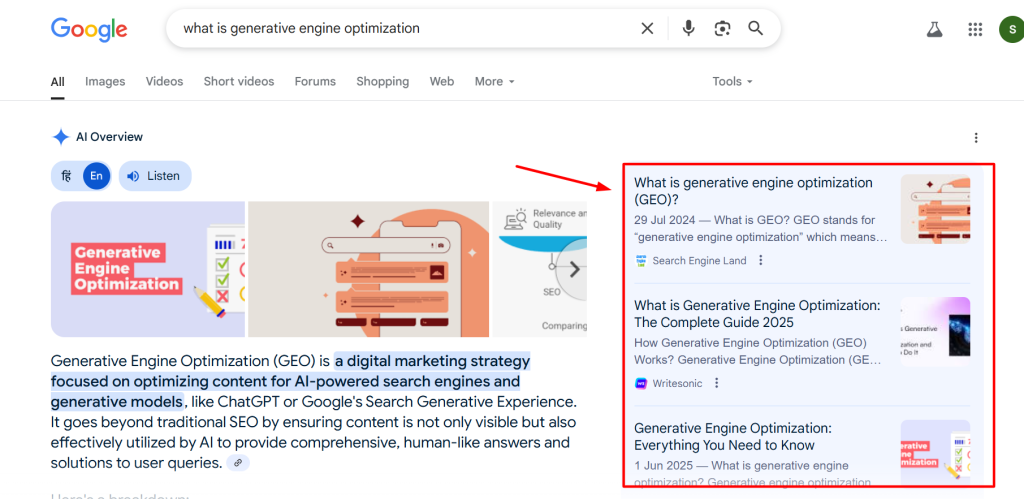
Sometimes they’ll credit the source with a link (like the image below) – other times they just weave your words into the answer with no mention at all. That’s why it’s so important to make your content something they want to use.

Generative Engine Optimization

Why GEO Matters: The Decline of Traditional Search Results

It’s true that the way people use search engines has changed a lot.

Remember the days when you’d Google something and scroll through ten blue links, clicking around until you found what you needed? That’s slowly fading. Now, you can ask a question, and the answer’s right there, written by AI.

This shift is huge and it means:

  • Fewer people are scrolling through search results.
  • More people are getting everything they need from one AI-generated block.
  • And as a result….. fewer clicks on your website.

Google’s Search Generative Experience (SGE), Perplexity, Bing Copilot, even ChatGPT with web access, they’re all part of this movement. They’re trying to save users time by giving answers upfront, instead of making them dig through websites.

So where does that leave your brand?

It means that if you’re still optimizing only for page rankings, you might be missing where the real attention is going. That attention is now shifting above the fold, into these AI-generated summaries.

And this is exactly where Generative Engine Optimization comes in.

With GEO, you’re not just hoping your link gets clicked — you’re aiming to be part of the answer itself.

It’s not about fighting AI. It’s about working with it, so it uses your words, your insights, and your content when helping people.

Key Pillars of a Strong GEO Strategy

If you’re thinking, “Okay, I get what GEO is… but how do I actually do it?” — this is the part you’ve been waiting for. Let’s break down the core building blocks of a content strategy that’s built for generative engines.

Be the Authority — Not Just Another Blog

AI tools love content that feels confident and knowledgeable. If you’re writing about a topic, go beyond surface-level tips. Add your experience, original thoughts, case studies, or even customer insights.

Pro Tip: Include quotes, stats, or frameworks, these are things AI loves to grab and reuse.

Write “Answer-Ready” Content

Search about the questions people are really asking, then write answers clearly and directly. Use headers, bullet points, definitions, and short paragraphs. If it feels skimmable to a human, it’s also digestible for AI.

Try this: Add a TL;DR or summary box in your blogs. It increases your chances of being pulled into a generative response.

Use Entities That Matter

This might sound fancy but it’s simple. When  you mention specific names (brands, tools, locations, industries), you’re helping AI understand what your content is about. It builds context. These “entities” help position your content more precisely.

Example: Instead of saying “our tool helps businesses,” say “Our CRM software helps e-commerce businesses manage customer data.”

Create Citation-Worthy Assets

AI engines don’t link to just anything. They quote pages that provide something unique — a stat, a framework, a checklist, a definition. Make sure every piece of content has at least one thing that’s worth citing.

Think

  • “According to [Your Brand], 72% of businesses…”
  • A visual explainer or original table
  • Your own coined term or methodology

Keep It Fresh and Relevant

AI favors up-to-date info. That means stale content from 2022 won’t get picked up as often. Update your high-performing posts regularly. Stay on top of trends and weave them into your content.

Bonus tip: Create content around current questions people are asking AI — like “Best AI video tools 2025” or “How to optimize for ChatGPT Browse.”

GEO Tactics to Implement in 2025

So now you’ve got the foundation down, let’s talk about real tactics. Here’s how you can start showing up in AI-generated answers this year.

Start Writing for AI, Not Just Humans

Wait… don’t make a decision. This does not mean your content has to sound robotic. But your content should be clear, specific, and structured.

  • Use headers that sound like questions
  • Answer directly and confidently
  • Break things down step-by-step

Add TL;DR, Key Takeaways & Quick Answers

Generative engines often pull from summary-style content. Adding a quick answer box, TL;DR section, or key takeaways, makes it more likely that your info will get picked up. And you can put this near the top and bottom of the longer posts.

Match Real Search Intent Not Only Keywords

People don’t search like robots. They ask real, conversational questions. So instead of stuffing in “best CRM 2025,” think: “What’s the easiest CRM tool for small teams in 2025?” Write in the way people actually talk — because that’s how they ask AI too.

Use Internal Links That Build Context

AI doesn’t just read your blog post — it scans your whole site (when it can). So make it easy for it to understand what your content is about by linking related pages together. This helps establish your expertise in a topic.

Show Real People Behind The Content

Human-written content still wins trust. Add author names, bios, photos, and credentials where possible. Google’s already factoring this into their AI tools, and it builds authority with readers too.

[Remember, you don’t need to throw out your SEO playbook, just update it. GEO is about being more helpful, more structured, and more intentional with every piece of content you publish.]

Challenges and Limitations of GEO

We humans need a reality check with these emerging technologies.

Generative Engine Optimization (GEO) sounds exciting (and it is), but it is not all smooth sailing. Like anything new, it comes with its fair share of grey areas. Here we are mentioning few of them you should definitely keep in mind:

No Clear Metrics (Yet)

Unlike SEO, where you can check track clicks, rankings, bounce rate, etc. GEO doesn’t come with a clean dashboard. So, you don’t always know when or where your content is being cited in generative answers. Sometimes they link to your content and often they won’t.

Citation Logic (Well, Mysterious)

This is one of the biggest frustrations. There is no consistent rulebook for how AI decides which sources to cite. Sometimes it pulls from big authority sites. Other times, niche blogs. And then, sometimes, it uses your content without linking back to you at all.

Misinformation and Misattribution Are Real Risks

Because these engines generate content by blending multiple sources, the final answer might twist your words, take something out of context, or accidentally attribute your idea to someone else. Not ideal, especially if you’re trying to build trust and thought leadership.

Plagiarism Is a Legit Concern

Some AI tools can lift entire paragraphs from your blog – no credit, no link, no nothing. You worked hard on that content, but now it’s being served up for free in someone else’s answer.

Unfortunately, this is still a grey legal area. Some platforms are starting to explore ways to protect original creators, but there’s a long way to go.

The Future of GEO: What’s Next?

So, where’s all this heading?

It’s pretty clear that Generative Engine Optimization isn’t just a trend — it’s a full-on shift in how content gets discovered and shared. And while we’re still in the early stages, here’s what the future might look like:

1. GEO Will Get Smarter — and So Will the Tools

As AI continues to evolve, we can expect generative engines to become better at recognizing high-quality sources and maybe (fingers crossed) even crediting them more consistently. New tools will likely pop up to help track AI mentions, optimize for generative responses, and even pitch your content directly to AI systems.

 2. GEO and SEO Will Work Hand in Hand

This isn’t an either-or situation. You’re not choosing between SEO or GEO — you’re doing both. The best strategies will blend the two: writing content that ranks and gets cited in AI-generated answers.

Think of GEO as SEO’s natural evolution. Same goals — just a different kind of audience (a very smart, non-human one).

3. Thought Leadership Will Matter More Than Ever

In a generative world, brands that are seen as experts will stand out. That means putting your name on your ideas. Sharing insights. Publishing original research. Being a voice people (and AIs) want to reference.

If your content helps shape the conversation, AI engines will start picking you up organically — because you’re seen as a trustworthy source worth quoting.

Final Thoughts

Where SEO once ruled the search world, GEO is now stepping in to shape the answers people actually read. It’s no longer just about getting seen on page one — it’s about getting heard by the engines doing the talking.

And here’s the thing: you don’t need to have it all figured out overnight. But you do need to start thinking differently about how you write, publish, and position your content.

Because the earlier you adapt to GEO, the better chance you have of staying visible in this new AI-first landscape.

Curious where your current content stands in a GEO-driven world? Let’s talk!

At Oriental Outsourcing, we help brands future-proof their strategy — crafting content that connects with both people and AI.

Scalable Web Application

Best Practices for Building a Scalable Web Application

No one likes a web app that crashes just when things start getting exciting. Whether you’re running a SaaS startup, scaling your eCommerce platform, or building internal tools that your whole team depends on, your web app has to grow with you. Period. 

Today we will discuss the best practices for building a scalable web application from the ground up. From choosing the right tech stack to future-proofing your backend and managing traffic spikes like a pro, you can find this your go-to guide. Keep your app stable, smooth, and growth-ready in 2025 and beyond.

Why Scalability Isn’t Optional Anymore

Users expect lighting-fast load times, 24/7 availability, and zero glitches, no matter how many people are online or how wild your latest product drop gets. If your app can’t keep up, they bounce. And when they bounce, they don’t come back.

Scalability is what separates apps that survive from ones that thrive. It’s your app’s ability to gracefully handle more users, more data, and more complexity – without freaking out or crashing. Think of it as your system’s built-in stress management. The more scalable your app is, the better it performs when it matters most.

Not convinced? Check this: According to Gartner, downtime costs businesses over $300,000 per hour. And that’s not even a typo. Whether it’s your checkout pages freezing during a flash sale or your dashboard breaking when new users pile in, an unscalable app isn’t just annoying – it’s expensive.

Remember Ticketmaster controversy over Taylor Swift’s pre-sales ticket meltdown or airline websites that buckle under holiday traffic. One crash can snowball into lost revenue, customer churn, and a PR nightmare.

What Makes a Web Application Scalable?

So, what does it actually mean for a web application to be scalable? Is it just about handling more traffic? Faster load times? Never going offline?

Well, there’s more to do. Let’s unpack this and minus the tech jargon overload.

Scalability vs. Performance vs. Availability

These three often get mixed up, but they each play a different role in how your web app behaves:

  • Scalability is your app’s ability to grow – whether that’s in traffic, features, or data, without needing to be rebuilt from scratch. 
  • Performance is how fast and responsive your app is right now, no matter how many users are on it. A scalable app still needs to be fast at every stage.
  • Availability is about uptime. Can users access your app when they need it? Even during peak hours or maintenance?

In nutshell:

  1. Great performance makes users happy.
  2. High availability builds trust.
  3. Smart Scalability ensures both keep happening – even as your user base grows.

Horizontal vs. Vertical Scaling

Let’s say your app is like a coffee shop.

  • Vertical Scaling is upgrading your espresso machine to a bigger, faster one. You’re adding more power to a single system. It’s easier to start with, but there’s a ceiling – you can only go so big before it breaks the bank.
  • Horizontal Scaling is hiring more baristas and opening more counters. You’re spreading the load across multiple systems. It’s a bit more work to manage, but it’s how the big players do it.

Most modern apps aim for horizontal scaling, especially when built on cloud platforms. It’s more flexible, cost-effective, and future-proof.

Real-World Examples: Good vs. Bad Scalability

So, here we will be a little practical:

Good Scalability Example:

We all know Shopify handles millions of Black Friday orders without a hiccup. Why? Because they’ve built their platform on a distributed architecture that scales horizontally. More traffic? They just spin up more instances, No panic, no downtime.

Bad Scalability Example:

Remember when Clubhouse went viral and suddenly… no one could get in? Their backend wasn’t ready for the spike. The buzz was there- but the infrastructure wasn’t. By the time they scaled up, the hype had moved on.

The lesson? A brilliant idea or a beautiful UI means nothing if your app can’t handle growth.  Scalability isn’t just a technical checkbox. It’s a business enabler. It means your app is ready for opportunity, prepared for surprises, and built for the long game.

Best Practices for Building Scalable Web Applications

The main question of all discussion is: How do you actually build a scalable web app?

Honestly saying, you can’t afford to guess your way through infrastructure decisions or throw money at more servers every time things get slow. Scalability starts with smart planning, clean architecture, and the discipline to think long-term, even when you’re in the MVP mode.

Below are the best practices that high-growth companies swear by when building web applications that are reliable under pressure, cost-effective at scale, and easy to evolve without breaking everything.

Let’s break it down:

4.1 Design with Scalability in Mind

Good scalability starts at the whiteboard stage. If your architecture is tightly coupled and tangled, adding more features (or users) later feels like stacking Jenga blocks during an earthquake.

Best Practice:

  • Modular Architecture: Build components that do one thing well and don’t depend too heavily on each other. This makes your app easier to debug, scale, and maintain.
  • Microservices or Service-oriented Architecture: Instead of a single, bulky application, break it into small, independent services that talk to each other through APIs.
  • API-first Design: Treat every function in your app like a service – even internal ones, so you can plug and play across platforms without extra plumbing.

Example:

Amazon’s storefront is a masterclass in microservices. Every “Buy Now” button, review box, and recommendation panel is its own little service – so they can test, deploy, or scale them individually without touching the rest.

4.2 Choosing The Right Tech Stack

The tools you use shape your app’s growth potential. If you choose flashy tools just because they’re popular right now without thinking long-term, it might cause serious problems when you actually try to scale your app.

Best Practice:

  • Lightweight Frameworks: Go for tools that are proven, fast, and scalable. Next.js, FastAPI, Spring Boot – clean, lean, and built for speed.
  • Match Your Language and Database to the Job: Consider Golang for performance-heavy microservices, Python for AI, or Node.js for real-time APIs. Don’t use SQL if your data doesn’t fit into neat tables—sometimes a flexible NoSQL database like MongoDB is just a better match.
  • Plan for Growth Early: Will this tech still work if your user base grows 10x? Will you find devs who know how to maintain it? These things matter.

Example:

Uber moved parts of its architecture from Node.js to Go when it faced performance bottlenecks in its geolocation and high-throughput systems. Why? Because Go handles concurrency better and offers lower latency. It helped Uber scale up real-time matching between drivers and riders without the system lagging under pressure.

4.3 Optimize the Backend Infrastructure

Backends aren’t attractive, but they’re what make or break performance. An overworked server and a single point of failure can take down your whole app.

Best Practices:

  • Use Cloud-native tools: Don’t reinvent the wheel. AWS, Azure, and GCP offer battle-tested, scalable components for everything from storage to messaging.
  • Containerize Everything: Docker lets you ship apps in neat, isolated boxes. Kubernetes helps you manage them at scale.
  • Enable auto-scaling & load balancing: Use built-in tools to distribute traffic evenly and auto-add instances when usage spikes.

Example:

Shopify handles massive Black Friday traffic surges using containerized services that auto-scale. One second it’s calm, the next it’s a tsunami—and they’re ready.

4.4 Efficient Database Strategies

Your app’s database is usually the first thing to cry for help under load. Poor data modeling or a lack of caching = instant bottleneck.

Best Practice:

  • Choose the right data model: SQL for structured, relational data. NoSQL for fast, flexible documents. NewSQL if you want the best of both.
  • Implement caching: Use Redis or Memcached to handle frequently accessed data without bothering the database every time.
  • Shard & replicate smartly: Split data across servers (sharding) and make backup copies (replication) to improve read/write efficiency.

Example:

Instagram shards its database across hundreds of servers so that no single one gets overwhelmed as its user base explodes.

4.5 Front-End Optimization

Your backend might be on rocket fuel—but if the front-end bloated and sluggish, users will never stick around to see the magic.

Best Practice:

  • Code splitting: Break large JS bundles into smaller chunks that load only when needed.
  • Lazy loading: Only load media and elements when the user scrolls to them.
  • Use CDNs: Serve static content from edge servers closest to the user for faster delivery.

Example:

Pinterest boosted user engagement by splitting its React app into micro-bundles and pushing assets through a global CDN.

4.6 Performance Monitoring & Load Testing

You can’t scale what you can’t see. Real-time insight into app behavior is key to fixing issues before users feel them.

Best Practice:

  • Use APM tools: Platforms like Datadog or New Relic help you spot slow endpoints, memory leaks, and service errors in real-time.
  • Run load tests regularly: Simulate user surges to see what breaks and fix it proactively.
  • Error tracking & alerts: Set up automated alerts so issues don’t sit in the logs unnoticed for days.

Example:

Slack’s team relies on constant monitoring and chaos drills to keep service reliable, even during massive growth phases.

4.7 Security & Compliance at Scale

As you grow, so does your attack surface—and your legal responsibilities. Security should scale with your app, not after it.

Best Practice:

  • Enforce role-based access: Limit access to only what’s necessary per role—interns don’t need admin keys.
  • Secure APIs and encrypt everything: Use HTTPS, manage secrets securely, and rotate tokens regularly.
  • Respect data laws: Make sure your stack supports compliance with regulations like GDPR, HIPAA, or India’s DPDP Act.

Example:

Fintech companies now design region-specific data clusters to ensure compliance with strict sovereignty laws—and avoid massive fines.

4.8 Budget-Smart Scalability

Scaling doesn’t have to mean overspending. The smartest companies grow efficiently, not just aggressively.

Best Practice:

  • Use spot instances and autoscaling: Save costs by using discounted capacity for non-critical tasks and auto-adjusting resources based on real-time demand.
  • Adopt FinOps principles: Build a culture where engineering and finance work together to balance performance and spend.
  • Eliminate waste: Shut down idle environments, track cloud usage, and kill zombie resources.

Example:

Mubi, a film streaming platform, cut nearly 30% of its cloud bill by running reports on spot instances and powering down unused test servers overnight.

Final Thoughts: Build Once, Scale Always

We have discussed that scalability isn’t about handling traffic. It’s about building web applications that grow with your business, not against it. From smart architecture and tech stack choices to database strategy, front-end performance, and ongoing monitoring, it all adds up to an app that’s reliable, efficient, and ready for whatever comes next.

At Oriental Outsourcing, we help businesses design and develop scalable web applications that are built for the long haul, whether you’re starting from scratch or reworking what’s already live.

Thinking about how well your current app can scale? Let’s talk!

Custom Software Development

Custom Software Development in 2025: The Play-by-Play Guide (Plus the Trends You Can’t Ignore)

We’re halfway through the year, and every day brings a wave of new AI and tech updates. As AI continues to reshape the digital world at lightning speed, businesses are increasingly looking for custom software development that align with their unique needs—driving both efficiency and innovation.

So, without further ado, grab your coffee and let’s discuss this for a minute.

Why Are We Discussing Custom Software Development Today?

Off-the-shelf software can feel like buying a one-size-fits-all blazer. Sure, it sort of fits, but after a long workday the sleeves pinch and the pockets don’t hold anything heavier than a pen. Custom software, on the other hand, is that perfectly tailored jacket, made for your exact workflow, your real-world data quirks, and your growth plans.

And 2025 is the year to invest. According to Grand View Research, analysts peg the custom-dev market at USD 43 billion today, racing toward USD 146 billion by 2030 (a juicy 22.6% CAGR). That hockey-stick curve isn’t just happening because tech titans have big R&D budgets. It’s rising because mid-size manufacturers, regional healthcare networks, and even family-run D2C brands are tired of bending their processes around generic tools. They want software that thinks the way their teams think.

Custom software development market research

Over the next ten minutes of reading, you’ll get:

  • The hard-won benefits of going custom (with real math, not hand-waving)
  • A plain-English walkthrough of how a modern dev team actually ships software in 2025.
  • Eight trends – from AI pair programming to green coding – that are reshaping the game right now.
  • Action items to help you pitch (and pull off) your own custom project.

Buckle up!!

The Case for Custom Software

In 2025, businesses aren’t just chasing digital transformation – they’re chasing differentiation. Off-the-shelf software might get you started, but it rarely scales with the way you work. Here’s why that shift makes serious sense:

  1. Tailored to Your Workflow: Off-the-shelf tools follow generic patterns, while custom solutions are built around YOUR operations, automating tasks exactly how your teams work. No patchwork, no forced compromises.
  2. Competitive Edge: When your software reflects your unique processes, data models, and customer logic, it becomes a part of your secret plan. Something your competitors can’t just license or replicate.
  3. Better ROI Over Time: Sure, upfront costs are higher, but long-term savings add up. You avoid subscription creep, reduce manual tasks, and increase efficiency that leads to faster time-to-value.
  4. Scalable and Future-Ready: Custom solutions grow with you. You control the roadmap, integrations, and feature set, so you’re never limited by someone else’s product backlog.
  5. Booming Market Backing It Up: Custom software is growing fast, with a projected CAGR of 22% through 2030. That’s not just hype; it’s where smart money’s going.

The Custom Software Development Lifecycle

Building custom software isn’t just about writing code – it’s about solving real problems, step by step. In 2025, the development process is leaner, smarter, and way more collaborative than it used to be. Thanks to Agile, DevOps, and secure coding practices, businesses now get faster releases without compromising on quality or security.

Here’s what the typical custom software development lifecycle consists:

  • Requirement Gatherings: Start with deep discovery. Understanding workflows, user needs, pain points, and goals. The more input from real users, the better the outcome.
  • Design & Architecture: Wireframes, UX flows, and tech stack planning happen in this stage. It’s where form meets function, setting the stage for smooth development.
  • Development: Code is written in sprints, with continuous feedback and progress demos. Agile keeps things flexible and transparent.
  • Testing: Automated tests, user testing, and performance checks ensure quality at every stage. Bugs are squashed before they ever go live.
  • Deployment: Code is pushed live using CI/CD pipelines. Smooth, fast, and rollback-ready if needed.
  • Maintenance & Scaling: Ongoing updates, security patches, and feature enhancements keep your software healthy and evolving.

And through all of this, DevSecOps ensures that security is baked in from day one, not added as an afterthought.

Top Trends Shaping Custom Software in 2025

With emerging tech and shifting business needs, the way we build software today looks very different than it did even a few years ago. Let’s break down the top trends that are changing the game in 2025.

AI-Assisted Development (Lately known as Vibe Coding)

Tools like GitHub Copilot, Cursor, and Replit’s AI have turned code editors into pair programmers. Google already generates 25% of new code with AI helpers, and YC startups crank out MVPs in days. 

A G2 analysis pegs AI code generation as the biggest productivity boost for dev teams this year.

The outcome? Faster prototypes. But you still need a senior engineer to review and refactor.

Low-Code/No-Code Goes Enterprise

Earlier businesses used low-code only for internal dashboards. Gartner predicted that 65% of apps will be built with low-code by 2024, and in 2025 it’s basically happening.

Nowadays analysts drag-and-drop UIs, and engineers wire serious integrations that result in shorter dev queues, fewer “shadow IT” spreadsheets, and happier business teams.

Cloud-Native and Serverless Take the Wheel

Why babysit servers when AWS Lambda, Google CloudRun, or Azure Functions scale for pennies? Serverless adoption will have blown past 75% of cloud users in 2025. For custom apps with spiky traffic – seasonal eCommerce, event apps, and pay-as-you-go functions are a no-brainer.

DevSecOps – Security Baked-In, Not Baked-On

The U.S. DoD’s March 2025 “State of DevSecOps” paper makes it official that security testing at every commit is policy, not optional. AI scanners now flag vulnerabilities before code merges, and automated SBOMs (software bill of materials) ship with every build.

Edge Computing & IoT

Factories, farms, and logistics fleets – none can wait for cloud latency. A fresh IIoT study shows edge-cloud hybrids slashing downtime via real-time predictive maintenance on the shop floor.

Blockchain for Transparency (Not Just Crypto)

60 % of Fortune  500 companies have live blockchain pilots—mostly supply chain traceability and finance workflows. Tamper‑proof audit trails baked into custom apps win big when recalls or audits loom.

Sustainability & Green Coding

Energy prices and ESG scorecards make efficient code cool again. Green sprints, optimized queries, and renewably powered data centers are in. Guides outline optimization, resource precision, and carbon dashboards to track gains.

Progressive Web Apps (PWAs) Hit Their Stride

Users hate giant app downloads. PWAs deliver offline-ready, installable experiences right in the browser – and the market is set to hit USD 2.8 billion in 2025, growing crazy fast. Starbucks doubled daily active users with a PWA—proof that lightweight tech can pack a revenue punch.

Strategic Considerations for Businesses

So, you’re sold on the idea of custom software, but here comes the big question: Should you build it from scratch or buy what’s already out there?

In 2025, that decision isn’t black and white. All thanks to AI tools, low-code platforms, and plug-and-play modules, the lines are blurrier than ever.

Here’s how to think it through:

  • Build vs. Buy: If what you need gives your business a competitive edge, build it. If it’s a standard function (like payroll or email), buying can save time and money. Hybrid approaches are also common: “Build your core, buy the extras.”
  • Strategic Alignment: Custom software should support real business goals, not just be a shiny new thing. Make sure there’s a clear ROI story before you write a single line of code.
  • People & Process: Whether in-house or outsourced, skilled oversight is critical. Also, don’t forget long-term maintenance; it’s not a one-and-done deal.

Getting this right early can be the difference between a powerful growth tool and a pricey project that fizzles.

How to Choose a Development Partner

Finding the right development partner is like picking a co-founder for your product. You want someone who not only gets the tech but also gets YOU. In 2025, it’s not just about who can write the code. It’s about who can build smart, secure, scalable solutions while keeping up with fast-changing trends.

Here’s what to look for:

  • Proven DevOps + Cloud Experience: Ask to see real deployment pipelines—not just slide decks.
  • AI-Readiness: They don’t have to be OpenAI-level geniuses, but they should know how to integrate AI tools responsibly.
  • Security-First Culture: Look for partners who bake security into their process (DevSecOps is a green flag).
  • Process Transparency: Weekly updates, open communication, and actual collaboration—not just status reports.
  • Post-Launch Support: Make sure they won’t ghost you once the code goes live.

The right partner doesn’t just build your app; they help you scale your vision.

Future Outlook & Final Thoughts

The future of custom software is bold, fast, and a little bit wild, in the best way. No matter how advanced the tools get, one truth remains: real impact happens when human expertise and smart technology work hand in hand.

As AI continues to reshape how we build, test, and scale digital products, the winners will be businesses that stay flexible, design with purpose, and choose partners who understand the big picture.

At Oriental Outsourcing, we’re more than just coders, we’re collaborators, builders, and long-term tech partners. Whether you’re modernizing legacy systems or starting from scratch, we help you stay ahead of the curve without losing sight of what matters most: your business goals.

Ready to build smarter? Start by auditing your current stack, and let’s talk about what’s next.

Business Name

Efficient Tips for Selecting a Business Name -2

A good name for a company is always an added advantage even though it can perform well in the market. The name of the brand will communicate something to the customer directly or indirectly. The need for a good name for a brand has originated from the customer to identify, remember, discuss, and compare with other brands in the market. A right brand name can bring you a chunk of customers. Similarly, a bad name can fail to connect with the customers. For some people choosing the brand name is a simple task that is done very quickly without much difficulty. Here are some tips listed down below to be followed for a winning brand name.

Avoiding Tough Spelling Names

Don’t confuse your customers for finding your business online. For example, “Flickr” is a photo-sharing site that is misspelled frequently by users. Always keep your brand name simple for customers to memorize and find in web searches.

Don’t Pick Names That Limit Your Brand Growth

Naming brands with some narrow names may stop their growth after some time. Just think if Jeff Bezos has named his e-commerce as “Online Book Store” instead of “Amazon”. It would have stopped other companies to sell their products on amazon as it is an online bookstore. Never limit your brand to any specific product or region.

Getting the “.Com” Domain Name

Always choose the .com domain name for your business instead of .net, .org, .biz, or other possible domain extensions because it provides security. Many people like to be associated with the .com domain. The domain you need is already owned by someone willing to sell at the right price.
A good .com domain name is always a good investment for any business. Check websites like GoDaddy.com or NetworkSolutions.com for the required domain name. If it is not available then using the tool “Whois” can track the status of the user when they are willing to sell the domain name. Always make sure that your brand is popular on social media websites like Facebook, Instagram, Twitter, etc.

Using Meaningful Names

Choose a name that has a meaning which can spread positive energy among people relating to the business. Names “Google”, “Yahoo”, “Instagram” have come catchy appeal to the users but they are costly compared to other counterparts. Some simple, clear, and intriguing domain names include onlinetickets.com, foodelivery.com, and movietickets.com which are meaningful and can be easily related to the mind of the customers and easy for SEO.

Conducting a Proper Trademark Search

If you are starting a business in the USA check https://www.uspto.gov/ if you can get a trademark or a service mark for your desired business name. If you want to obtain a trademark in other countries check with their trademark issuing authorities for their procedure.

Assessing the Catchiness of the Business Name

No one wants a name that seems boring to the customers. At the same time, it must also not be difficult to spell for anyone and everyone. All the employers should say the name without any hesitation or difficulty and it should resonate in the mind of the customers.
Business Name Tips

Getting the Feedback of the Chosen Brand Name

Make a list of 10 names and get feedback from people like your friends, family, neighbors, and some other random people. Drop the names which receive more negative reviews from people. Also, make sure that the brand name doesn’t have any negative meaning in any known language.

Making Sure That the Brand Name Sounds Good

Some names seem to look good on paper but when they are said aloud they may seem a bit strange or awkward sometimes. People must be clear about the name they spell.

Making Sure About Satisfaction

People may suggest several names but you are the one who is supposed to be satisfied with the name in the first place. Never rush with the name if you don’t like it even though a large group of people recommend it. Your satisfaction should be a priority when it comes to business.
We hope these pointers will help you in choosing the right business name and make the processing load a bit lighter.
Business Anniversary

20+ Years of Innovation, People, and Progress: Celebrating Oriental Outsourcing’s Remarkable Journey

This year marks a momentous milestone for Oriental Outsourcing—20+ years of thriving in the industry! Since our modest inception in 2004, situated in a compact kharar office, we have traversed a remarkable journey, and this significant milestone calls for a sincere celebration. Presently, we raise a toast not just to commemorate our accomplishments but also to recognize the remarkable individuals who laid the groundwork for our success and those who persistently accompany us on this journey.

From a Spark to a Flourishing Flame: Our Journey

This journey began with the visionary spark of Mr. Bhawan Baweja, a young entrepreneur who dared to dream big. With just a few team members at inception, the seeds of innovation were sown. Throughout the years, we’ve cultivated those initial seeds with a steadfast dedication to excellence, expanding into a team of more than 50 passionate individuals. Yet, beyond expertise lies our foundation in core values: innovation, process, and people, distinguishing us in our field. Our commitment extends beyond providing mere solutions; we strive to deliver extraordinary experiences.

The tapestry of our success is woven with countless threads of achievement. We take pride in being recognized as an authentic industry leader, a reflection of our consistent commitment to Oriental’s philosophy: adopting a specialized and thorough approach. Yet, surpassing our market standing and awards, it’s the substantial impact we’ve made on our clients and the community that truly ignites our enthusiasm.

A Celebration of Laughter, Creativity, and Connection: Our Annual Day 2023

The festivities of our Annual Day 2023, held last month, echoed with the joyful spirit of celebration. The air thrummed with infectious laughter as our entire family, employees, and their loved ones, united under the banner of camaraderie. The host’s creative vision transformed the event into a playground of fun-filled activities that fostered friendships, unearthed hidden talents, and strengthened our company culture. From thrilling competitions to heartening family instances, the event was a jubilation that went beyond work, embracing the core of our identity—a lively family united by passion and mission.

20+ Anniversary

A Stage for Passion: Employee Performances

The night commenced with a stunning display of talent, showcasing the diverse creativity thriving within our organization. Our employees took the spotlight, captivating us with performances they conceived and executed themselves. From soulful tunes to energizing beats, each act added a vivid stroke to our shared journey. These displays weren’t merely entertainment; they offered a glimpse into the rich creativity and enthusiasm of our team.

Words of Inspiration: Founder’s Speeches

Then came the impactful speeches by our co-founders, resonating deeply with everyone.  They depicted a vivid picture of our voyage, reminding us of the steadfast commitment and honesty propelling our accomplishments. They highlighted the importance of our contributions to clients and the community, emphasizing that while we pursue innovation, we stand firm on teamwork and ethical values.

20+ Years and Counting: A Toast to the Future

20+ years is a testament to collective aspirations, relentless dedication, and unwavering belief. As we mark this significant milestone, it’s not just a celebration of the past; it’s a gaze into an anticipative future. Our vision for the next 20 years is daring—to persist in innovation, expansion, and positive influence on our world. We extend an invitation to join us in this thrilling journey, scripting the next chapter in Oriental Outsourcing’s incredible narrative.

Let’s celebrate over two decades of excellence and eagerly await the many more chapters yet to be written! Cheers to the future!

Guide for Creating an API Using Node.js

The buzz around application programming interfaces (APIs) is widespread, and for good reason. APIs provide a software interface that simplifies communication between two applications, a crucial aspect for achieving scalability and reusability. It’s increasingly common for proprietary web applications or services to include public APIs, allowing other developers to efficiently integrate features such as social media logins, credit card processing, and performance tracking.

In this blog, we will walk you through a thorough, step-by-step process of creating an Node.js API from scratch.

How to Create an API Using Node.js?

Node.js, a widely used JavaScript runtime powered by Chrome’s V8 JavaScript engine, has emerged as a prominent platform for creating server-side applications and APIs. APIs, which stand for Application Programming Interfaces, act as bridges that enable different software systems to communicate and interact with each other.

What is Rest API?

A REST (Representational State Transfer) API, commonly known as a RESTful API, is an architectural style used in the design of networked applications. It encompasses a set of principles and restrictions that dictate how resources are defined, structured, and accessed on the Internet.

In a REST API, resources are the central components that are made accessible and manipulated. A URL (Uniform Resource Locator) or URI (Uniform Resource Identifier) serves as a unique identifier for each resource. These resources can represent entities like users, products, posts, or any other type of data.

REST APIs are built upon a client-server model, where the server communicates with the client (for example, a web browser or a mobile app) by employing standardized HTTP methods such as GET, POST, PUT, DELETE, and more. These methods play a pivotal role in carrying out operations on the available resources, enabling tasks like retrieving data, creating new resources, updating existing ones, and deleting resources.

Setup of Node js

Setting Up the Development Environment for Node.js

1. Installing Node.js and npm

Installing Node.js and npm is the initial step in creating a Node.js API. Node.js serves as a JavaScript runtime for executing server-side JavaScript code, while npm, or Node Package Manager, streamlines the process of installing and managing Node.js packages.

To install Node.js, you should start by visiting the official Node.js website and obtaining the installer appropriate for your operating system. After the download, run the installer and carefully follow the on-screen instructions.

Once the installation is finished, you can verify whether Node.js and npm have been successfully installed on your system. You can do this by opening a terminal or command prompt and running the commands node -v and npm -v. If you see the versions of Node.js and npm displayed, it confirms the successful installation.

2. Initializing a Node.js Project

After installing Node.js and npm, you can initialize a Node.js project by following these steps:

1. Go to the specific directory in your terminal or command prompt where you plan to create your project.

2. Run the command “npm init” to initialize your project.

3. This command will interactively request project information like the package name, version, description, entry point, and more.

4. You can either input the required details or simply press Enter to accept the default values.

5. Once you’ve provided the necessary details or accepted the defaults, a file named “package.json” will be generated in your project directory.

6. The “package.json” file functions as a repository for metadata about your project and also compiles a list of the project’s dependencies.

By following these steps, you can easily establish a Node.js project and manage its configuration through the “package.json” file.

3. Installing Express.js Framework

Express.js, a popular web application framework for Node.js, simplifies the process of creating APIs and web applications. To add Express.js to your project, simply run the command npm install express in your project directory.

This command fetches the Express.js package from the npm registry and automatically adds it as a dependency in your package.json file. Additionally, it creates a node_modules directory in your project folder to house the installed packages. By following these steps, you can seamlessly incorporate Express.js and improve your web development workflow.

Now that you’ve successfully installed Express.js, you can begin harnessing its robust features and capabilities to construct your API. To integrate Express.js into your JavaScript files, simply utilize the ‘require’ keyword. From there, you can proceed to create routes, handle requests, and implement various middleware functions to enhance the functionality and performance of your API.

By establishing your development environment correctly, you’ve established the groundwork for building your Node.js API. The installation of Node.js and npm ensures you have the essential runtime and package management tools, and initializing a Node.js project and adding Express.js provides the structure and framework necessary for efficiently developing your API.

Steps to Create an API with Node.js

Here are the steps to build an API with Node.js:

Step 1: Project Setup

  • Start by creating a fresh directory dedicated to your project.
  • Now, open your terminal and go to the project directory.
  • Kickstart a new Node.js project with the following command: npm init

Step 2: Install dependencies

You can install the necessary dependencies by executing the following command: Use the command npm install express body-parser to install the required package

Step 3: Create the server file

  • Generate a new file within the project directory, for instance, name it server.js.
  • At the beginning of the file, import the necessary modules by including them.
Set up server

Create an instance of the Express application:

Express file

Add middleware to parse incoming request bodies:

Define Route

Define the routes for your API. 

  • Start the server and listen on a specified port:
Start Server

Step 4: Run the server

  • Open the terminal and navigate to the project directory.
  • Initiate the server by running the command: node server.js.

That’s all there is to it! You’ve now created a fundamental REST API with Node.js through Express. You can further enhance your API by including additional routes, connecting with databases, implementing authentication, and managing request payloads based on your requirements.

Conclusion

Creating a Node.js API involves several key steps, such as establishing endpoints, utilizing Node.js and Express, performing thorough testing, and deploying to a server or cloud environment. By implementing continuous integration and continuous deployment (CI/CD), you can optimize the development process. This method assures the creation of dependable and effective Node.js APIs that meet user needs and contribute to the growth of your business.