
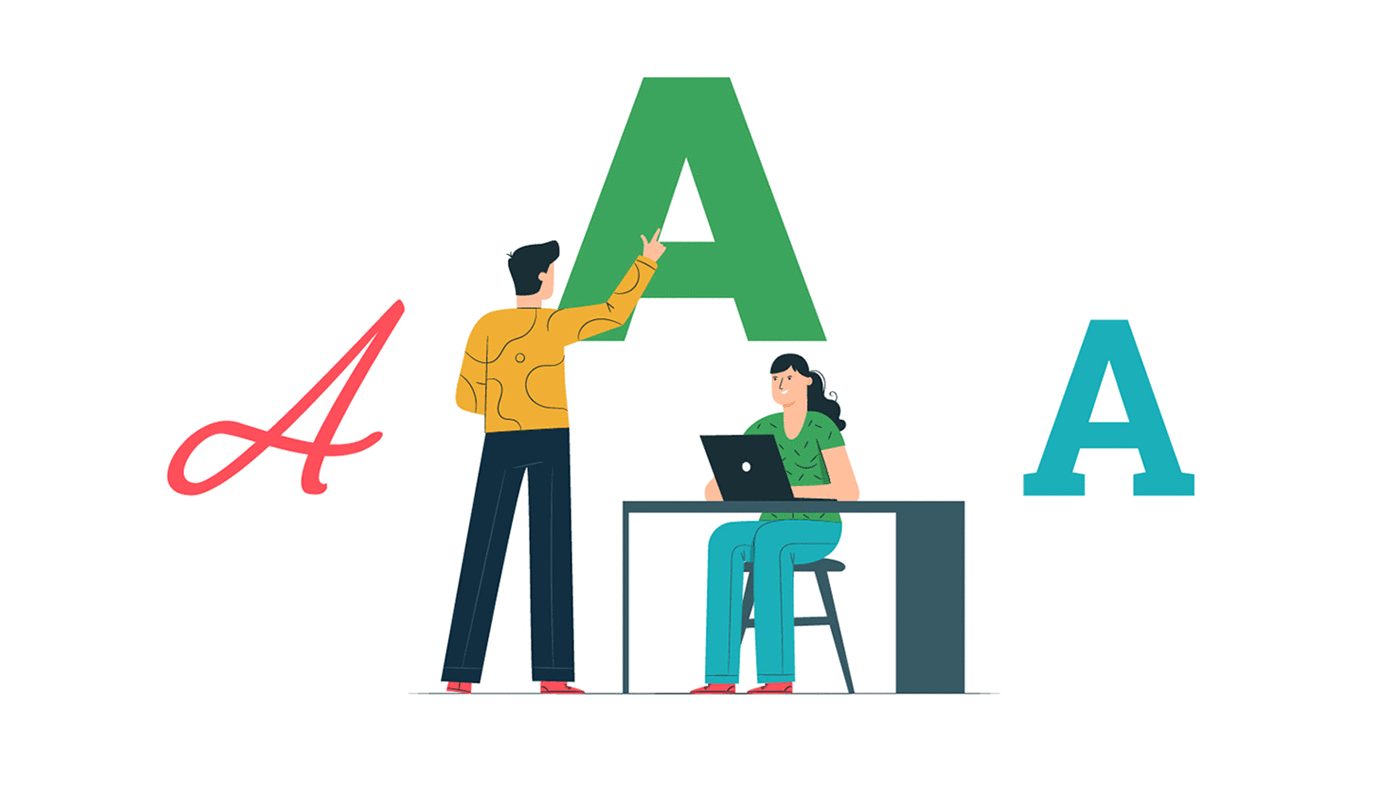
When creating a website, we must be very careful about every tiny detail. Taking care of these tiny bits of detailing help us in an explicit way. The explicit detailing of important things like fonts makes us stand away from the crowd. Whatever may be the purpose of the website, the idea should be conveyed to the user in a clear, distinct manner. Visual representation of the website holds great importance for all the users. We must try to convey the brand of the website through visuals which makes a sharp impact on the user’s mind. Not just this, it also adds to the brand value and future customer retention. As we know that “I hear and I forget, I see and I remember, I do and I understand” clearly reflects the idea behind our attractive visual representation of the website and its impact on the mind. While choosing fonts for the website, we must consider things such as the brand name, product, or the services offered and the target set of people. We must follow a checklist while choosing the font for the website. Today we are going to tell you what must be kept in mind for selecting the right font for the website: Get the Right Inspiration We must carefully select a font style for the website because it is the soul of the website. There is a large variety of font styles available on the internet for a variety of purposes. We must select the font style which suits our requirements perfectly. For example, if we want to advertise a restaurant, the font used by the restaurant must only be used, not the fonts used by a clothing company or a shoe company. Basically, what we mean to say here is, the fonts should always be in sync with the business. The latest fonts can be easily found on the websites like Pinterest & more. Personality, Tone & Brand Reflection Among the large number of font styles available on the internet, we can conclude finding the right font only when we answer some specific questions prior to finalization. The questions include the details of the brand, how a user should feel when seeing the real-time interface, which kind of sound or video, or images must be played/displayed on the homepage of the website. Once all the above questions are answered, we will be left with a small set of font styles in turn making it easier for us to decide and finalize. Less is Always More When we try to highlight our brand in the market, we tend to put more effort and do more. Overdoing always makes things worse and it is no different in this case of website development and designing. More efforts are pretty common in the market as everyone wants to be the best. The styling of the website must be minimal. We should select the fonts in sync with business when it comes to the website. The font of the same family makes the look of the website more coherent. For apt styling of the fonts, we must include enough range of font-family which includes the primary, secondary and tertiary fonts. Primary Font The fonts used in the styling of the headings which are very important for reflecting the brand’s creativity are called primary fonts. Secondary Font The fonts used in the body of the content containing the Brand’s description are called secondary fonts. They must be clear and easy to read without putting any strain as it is very important when it comes to website development. Tertiary Font The fonts used in specific elements on the website description are called tertiary fonts. They must be highlighted on the website since they enhance the web development process. Font-Readability Assessment When selecting any font we must ensure that the selected font is readable by all. This rule applies to all the font types; primary, secondary and tertiary fonts. Whereas for secondary fonts readability must be given a high priority. Times New Roman and Georgia are the most popular fonts when we talk about readability. Scalability Of the Fonts Ensuring the font’s scalability is a very important feature in the incorporation of the text on the website. The website development will be complete only if the font style is scalable. Even if the website is ready with the content but scalability is missing then it is a very big problem. Minimum-Font Loading Time All the users may not have the same mindset when it comes to website loading. Web traffic may have various types of users. Always select a simple-to-read font style that has a minimum loading time over an attractive font with a maximum loading time. This helps in increasing web traffic as more users prefer fast loading sites over the lagging ones. So, these were some of the tips on how to choose the best fonts for your Website.

How to Create an Appropriate Footer for the Website?
The website footer is one of the most important locations on the webpage. Users look for information at the footer frequently even though it is not a great place for designs. The web development companies consider it as important during the website development phase. The following things should be kept in mind by the website development team while designing a website footer: Choosing a Simple Design It is always easy to work with a simple design if there’s a lot of information. This is the case in which the footer also includes a lot of information. Organize information with a purpose, leave blank spaces wherever required, include clean elements are some of the necessary steps. Always avoid clutter and list down the items which fall into the footer category and give a reason for their placement. The amount of information and number of web pages decide the size of the footer in most cases. Information Links “About Us” and “Contact Us” are the two important links in any website footer. All the users visiting the website always want to know about the team working at the company. Some people may also like to reach the team members if they like the work done by them or for any business query. So providing the contact details is always a good idea. Including Basic Contact Information in the Website Footer While linking a “Contact Us” page, always remember to link all the basic contact details such as personal phone number, email address, and physical address. Footer Links Organization A good sense of organization can be experienced by the users by just viewing the footer information. From most popular websites, consider several columns (or rows) of relevant information such as contact, links, services, social media, and sections likewise. Place them one after the other under the header. Copyright Notice Inclusion Never forget copyright notice because it can be a lifesaver for your business. Apart from the regular design, we can add it more efficiently to the footer. It is represented by the character “c” which includes the owner name and the year of publication. There may be many copyright notices for single content on the internet. Including a CTA aka Call-To-Action in Website Footer When the users at the footer of the website always include an action to attract them. For example, including a sign up for a newsletter or a social media subscription link and this place is valuable for increasing the web traffic. This is as the customer gets a direct link to what has to be done next. Using Graphical Elements Many people think that footers are of block type. For visual interest add logos or graphical elements. Do not overload the small space with too many elements. Include icons such as “Follow me on Facebook/Twitter/whatever,”. Maps or phone numbers are small icon elements that can be included. Thinking Small A lot of small items can be included in the footer. Do not go for elements that are difficult to see with the naked eye. The footer elements can be too small elements to the body elements. Choose the items and icons which are readable in size. The purpose of the footer may not be served if the elements are too small or too close to each other. Using Plenty Of Space Due to spacing limitations, space and spacing are very important in footers. In between the elements of the footer leave adequate room for movement. For a clear view of the footer area adequate spacing is required. Most of the items in the footer are linked to one another. Underline Only Important Links The biggest mistake that is made while creating footers is that underlining the links. It is not necessary to underline all the links. The technique of underlining the links is an outdated technique that doesn’t apply in modern web designing. Considering a Sub Footer For creating a hierarchy and adding dimension to the footer space or just providing a fun content space, we can use a sub footer. It is a popular practice for adding sub footers for additional layering. We can insert a call to action or add high accolades to the sub footer for better traffic engagement. So, these were the important points to keep in mind when it comes to footers while designing a website. Do let us know how they were useful for you.
How Much Does Creating a Website Cost
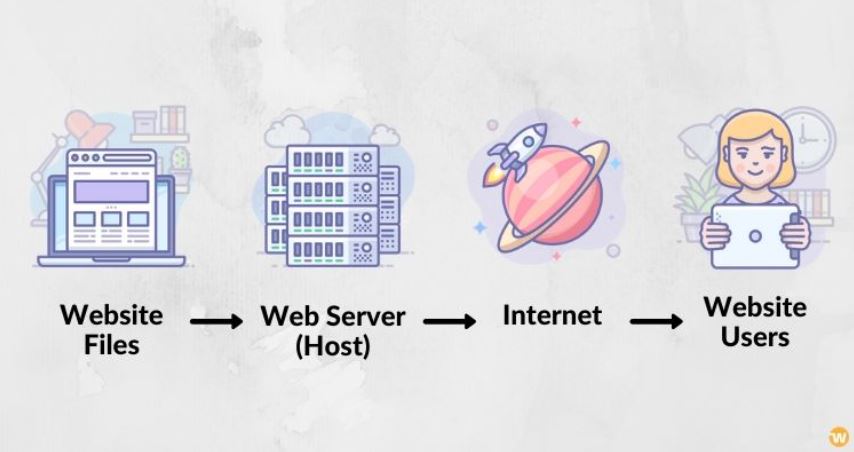
The website development and design depend on your budget and goals. Today, we are going to discuss how much it costs to build a website for most people. What Tools Do You Need to Build a Website? For building a website you don’t always need a professional web developer. Even if you are not in the field of web application development you can still build a website with the free tools available on the internet. There is a big chance of spending way more than the necessary budget on web development services. For any website these are the tools you’ll always need for setting up the website: The Domain Name (e.g. Google.com, IsItWP.com) Website Builder (e.g. WordPress, Wix, Weebly) Web Hosting (depending on your website builder) Domain Name The domain name is the name of the website such as Facebook.com, Linkedin.com, Microsoft.com, etc. People access the website by typing the name in the address bar. The name is valid for a year and you have an option to renew it post this timeframe. Website Builder If you are a beginner or an intermediate developer, you need a website builder for making a website. It helps to create a great website as per our desired expectations which enables us to add features like SEO tags, plugins, etc. without much effort. While building a website, it is always recommended to use WordPress. It offers various features to enhance the website as per the requirements in turn giving total control over the website. Web Hosting The home of the website where you store the files and content is called web hosting. When a user tries to access the website by typing the name of the domain in the address bar then the files stored on the web hosting server are accessed. Renting out the computers or servers and ensuring internet connectivity when the website is live is referred to as web hosting. Shared hosting, VPS hosting, WordPress hosting, blog hosting, dedicated hosting, etc, are examples of various types of web hosting services. The different budget categories of websites are as follows : Building a small website with a minimal budget Building an advanced website with more features Building an online store Building a custom-built website How Much Does Building a Typical Website Costs You? This type of website development costs somewhere around $100 and $500. For a feature-rich, customized website, it can range from about $30,000 or even more. For building a small website, you’ll need to have a well-defined budget for the domain name and web hosting services. The domain costs you somewhere around $14.99 per year and the web hosting around $7.99 per month respectively. To sum up, for starting a website it costs around $110.87 annually at the minimum. The total cost of domain name and hosting will be very expensive for you, especially if you’re just in the starting phase. In the world, Bluehost is one of the largest hosting companies, if you wish to consider one. Along with the WordPress community since 2005, and they are an officially recommended hosting provider by WordPress.org. For more details, the Bluehost review can be checked before proceeding. You can always save money by opting for annual plans instead of monthly. You can choose free WordPress themes and plugins from the WordPress repository for saving costs. The list of essential plugins can be downloaded for free from WordPress.org: WPForms lite: Building a contact form MonsterInsights: Connecting your site to Google Analytics Yoast SEO: Improving your WordPress SEO (search engine optimization) UpdraftPlus: Backing up your WordPress site W3 Total Cache: Improving WordPress performance and speed Akismet: Preventing spam comments Estimating the Cost Based on Your Goals The following things must be considered for cost estimation of the website: What’s the realistic budget for your website? Building a website that you can’t afford will be a big failure. Spend on premium themes or plugins wisely. Costs must be always as low as possible when you’re a beginner. Do you need a custom-built website? For the easiest way to roll out a new website, a pre-built WordPress theme must be installed. There is no need to hire a WordPress developer if you want to save money. A custom WordPress theme is needed for giving a unique look and feel to your website. For an hour it varies from $20 to $100 an hour for hiring a developer or you can also try it yourself. Say thanks to the self-paced courses online. What features will you need? At the start, you won’t get more appreciation like other top websites that you see on the internet. It is important to list down all the features at the start, even if you start small. It also helps us to make sure that the total development process is aligned properly and high priority features must be focused on. The cost can also be minimized as the site grows due to less need for initial development costs. Not only a beginner or an intermediate developer, a web agency also follows some of the above-mentioned rules to save money while processing an order. So, above were some of the insights we wished to provide you. Let us know how helpful they were for you in your Website Development process.


